 portrait
4:5
portrait
4:5
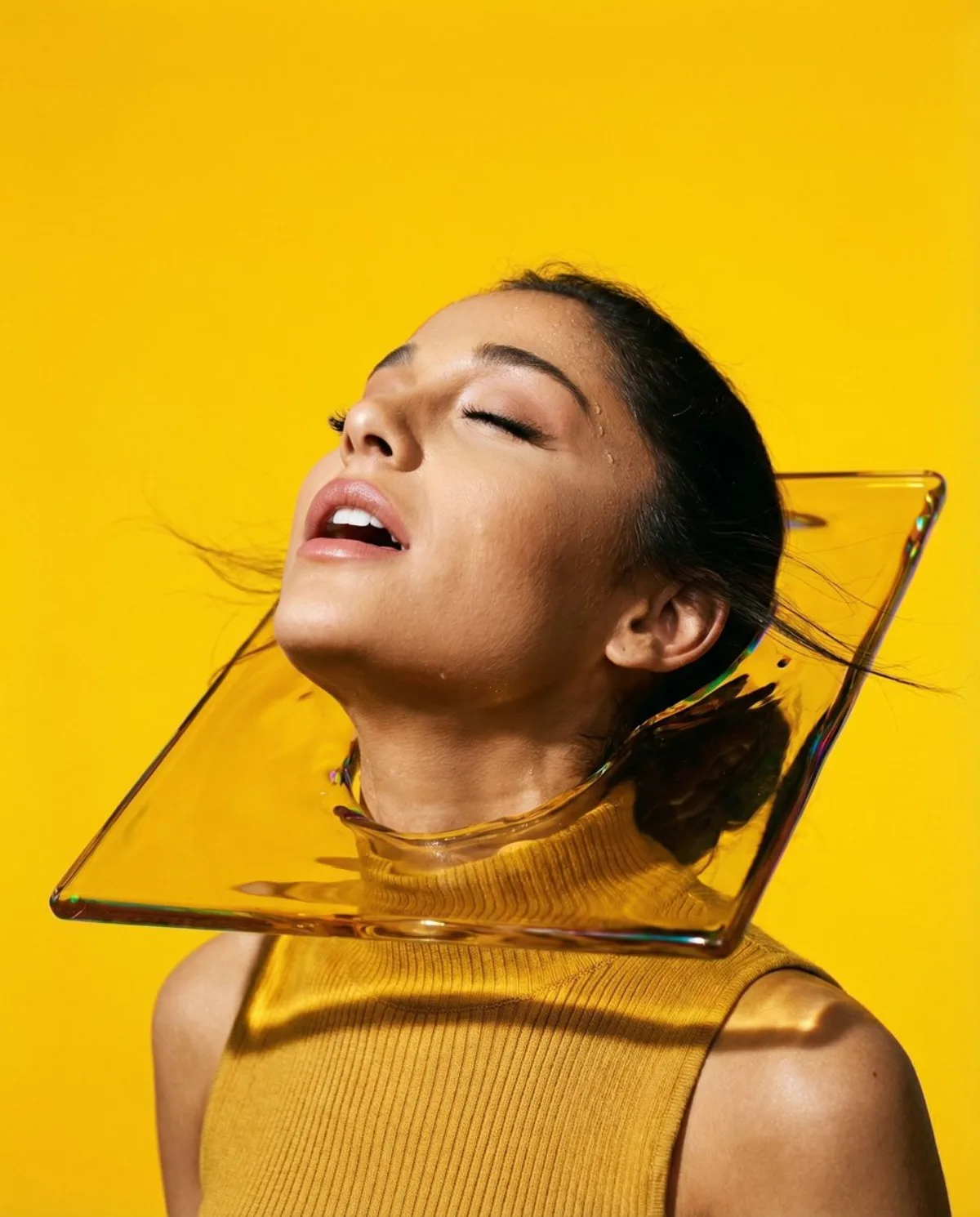
Refined Ecstatic Dreamer Portrait with Liquid Yellow Glass
Subject
{
"vibe_title_en": "The Amber Trance",
"master_prompt": "A hyper-realistic, tight head-and-shoulders beauty portrait of The Protagonist in a state of pure 'Ecstatic Dreamer' release. The texture is hyper-tactile, blending the smoothness of the surreal glass including the gritty realism of human skin. Shot on a Hasselblad H6D-100c including a 100mm Macro lens at f/2.8. Lighting is high-voltage commercial hard light from a Fresnel source, casting razor-sharp shadows and highlighting individual skin pores and beads of sweat. The subject's head is thrown back, neck exposed, eyes closed in a euphoric trance, with wind gently sweeping hair back. The environment is a void of 'Signal Yellow' stu
Composition
Central symmetry, breaking the frame.
Lighting
Lighting is high-voltage commercial hard light from a Fresnel source, casting razor-sharp shadows and highlighting individual skin pores and beads of sweat.
Setting
Infinite Yellow Studio Void.
Style
Master_prompt": "A hyper-realistic, tight head-and-shoulders beauty portrait of The Protagonist in a state of pure 'Ecstatic Dreamer' release.
Details
The texture is hyper-tactile, blending the smoothness of the surreal glass including the gritty realism of human skin.