 portrait
9:16
portrait
9:16
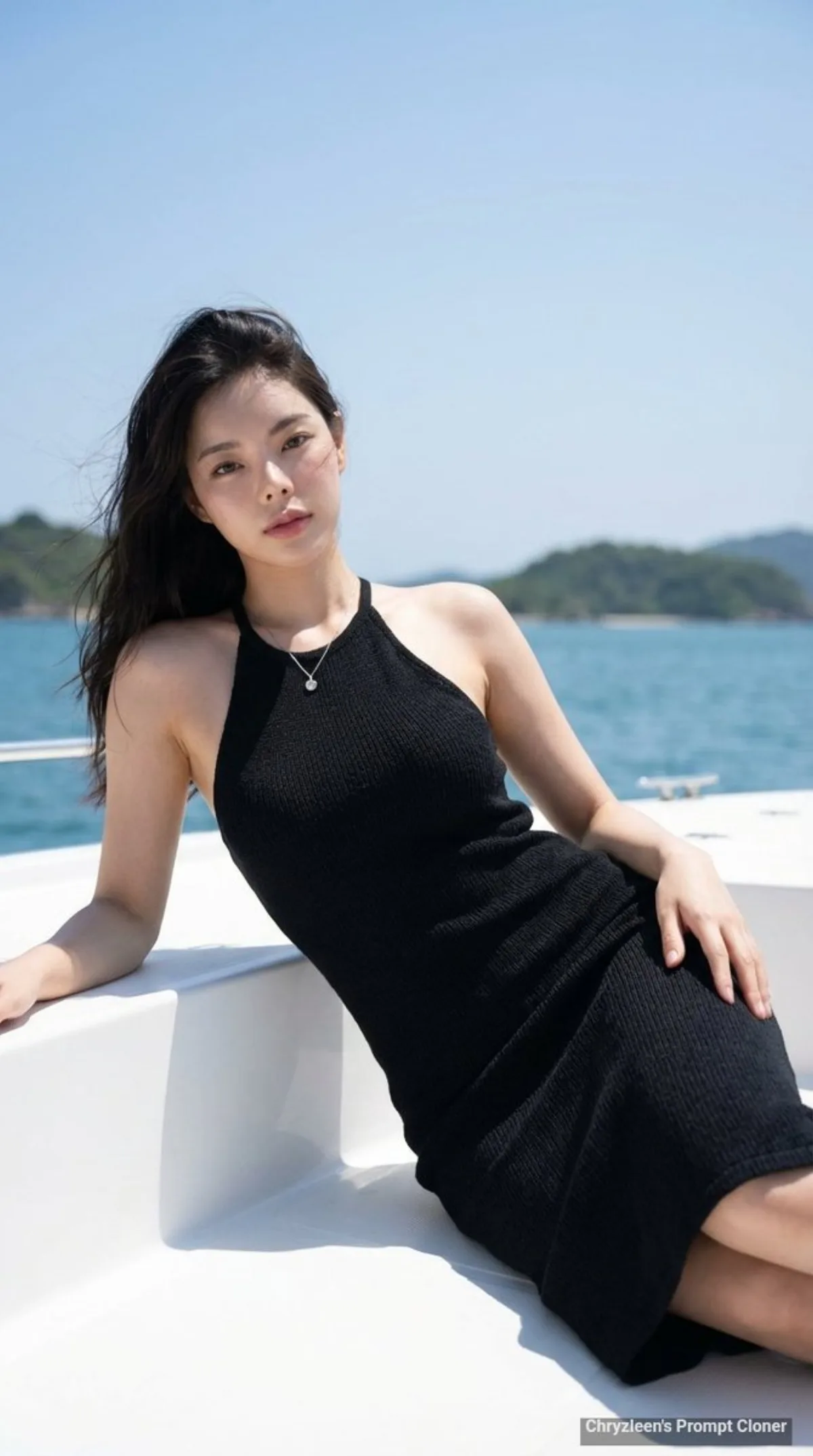
Glamorous Portrait on a Boat with Ocean Background - Premium Style
Subject
Shot description: create image: Use the attached reference image as a visual guide for the character’s appearance, maintaining strong resemblance to the person in the reference. A hyper-true-to-life, ultra-realistic photograph shot on a Sony A7R V with an 85mm f/1.8 lens, settings at ISO 100, shutter speed 1/500s, aperture f/2.8, capturing an upper-body to medium-long shot alongside a moderately shallow selective focus creating a pleasing bokeh effect. The subject's left arm is extended and gently rests on the boat's edge, supporting the upper body, fingers relaxed. Preserve key visual traits such as facial structure and overall proportions, while allowing small natural variations typical of
Composition
The aspect ratio is 9:16.
Lighting
The lighting is luminous, natural daylight, coming from above and slightly in front, creating soft highlights on the skin and dress, alongside minimal, gentle shadows that sculpt the form.
Setting
The color grading is vivid and natural, with lush blue tones in the water and sky, and lush greens on the distant islands.
Style
A hyper-true-to-life, ultra-realistic photograph shot on a Sony A7R V with an 85mm f/1.
Details
4K ultra-detailed render with realistic micro-textures and accurate material reflections.