 poster
3:4
poster
3:4
Plant Care Science Exhibition Board
Subject
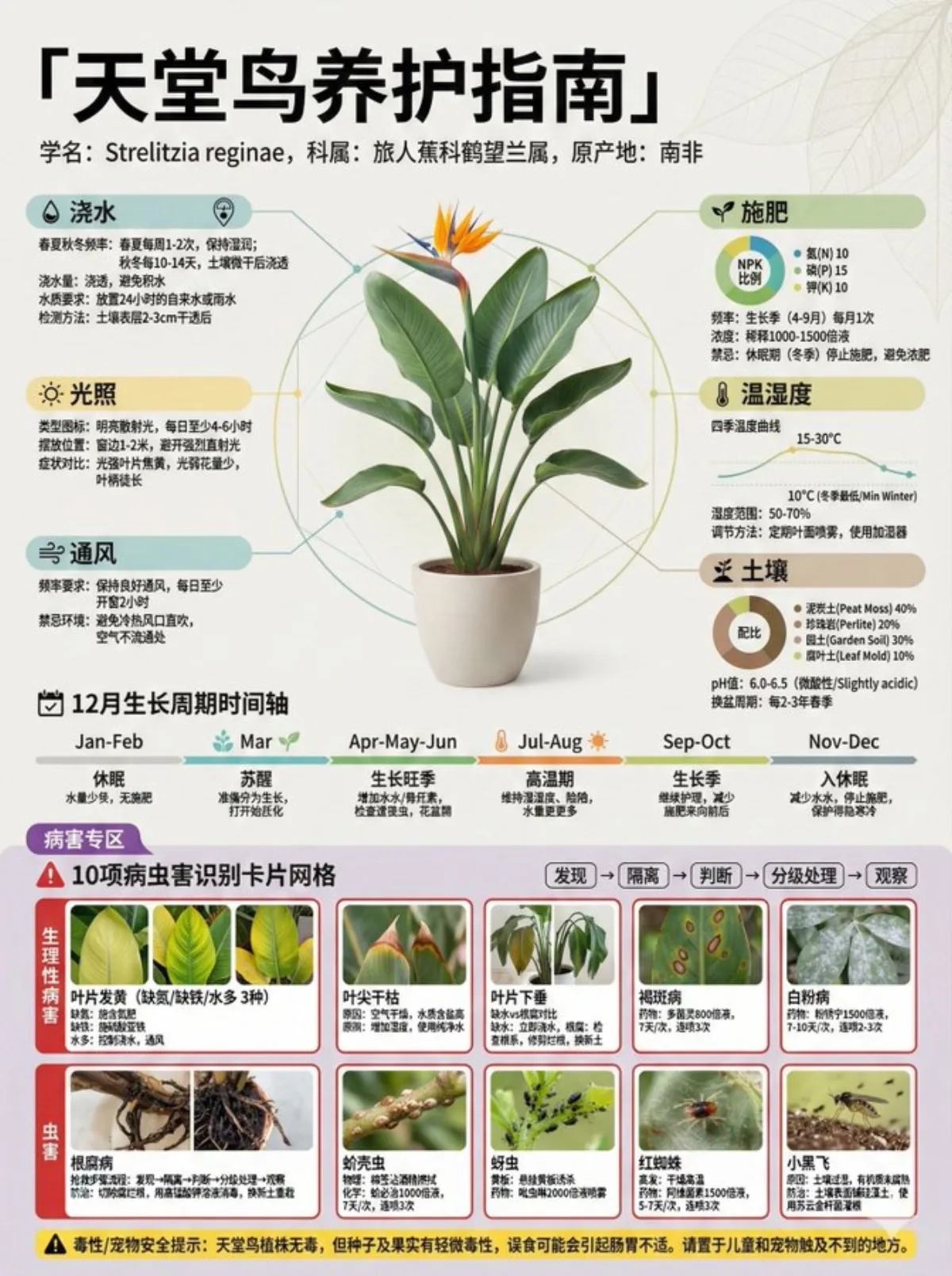
A houseplant care-guide poster titled "Money Tree (Pachira) Care Guide", with a central realistic healthy potted specimen of the chosen plant as the focal subject.
Composition
Main title and subtitle (scientific name, family/genus, origin) at top; central visual occupying ~25% showing the realistic potted plant; left column (blue-green: watering, light, ventilation) and right column (yellow-green: fertilizing, temperature/humidity, soil); a central horizontal 12-month growth-cycle timeline; a lower pest-and-disease zone (~30%, red-purple warning colors) with a 10-item identification card grid in 3 rows; a bottom info bar with toxicity/pet-safety notes.
Lighting
Soft lighting; front-on or slight top-down view; medium-to-large depth of field.
Setting
A light minimalist background (off-white/light gray) with subtle geometric/leaf-vein texture at 20% opacity.
Style
High-density botanical care-guide infographic poster in museum-exhibition style, referencing Japanese botanical-garden signage, modern natural-history info walls and DK gardening guides; Chinese typography (Sourcehan Sans), 4K ultra-HD; workflow tip: generate the overall composition first, then use image edit to refine light and materials.
Details
Disease cards cover physiological issues (leaf yellowing from nitrogen/iron deficiency or overwatering, leaf-tip dieback, drooping leaves: underwater vs root rot), fungal diseases (brown spot with carbendazim usage, powdery mildew, root rot rescue steps) and pests (scale insects, aphids with yellow sticky traps, spider mites, fungus gnats); each card has a symptom close-up (40%), identification points, treatment plan with chemical name + concentration + frequency (e.g. carbendazim 800x, every 7 days, 3 sprays); emergency flow: discover -> isolate -> diagnose -> tiered treatment -> monitor; info density high (25% whitespace), thin radial leader lines from the pot; color coding: blue=water, yellow=light, green=nutrition, red=disease, purple=pests; card hierarchy main title 16pt bold > content 12pt > note 9pt; line spacing 1.5; all care data, disease info, drug names and concentrations auto-filled with accurate professional data for the chosen plant.