 product
16:9
product
16:9
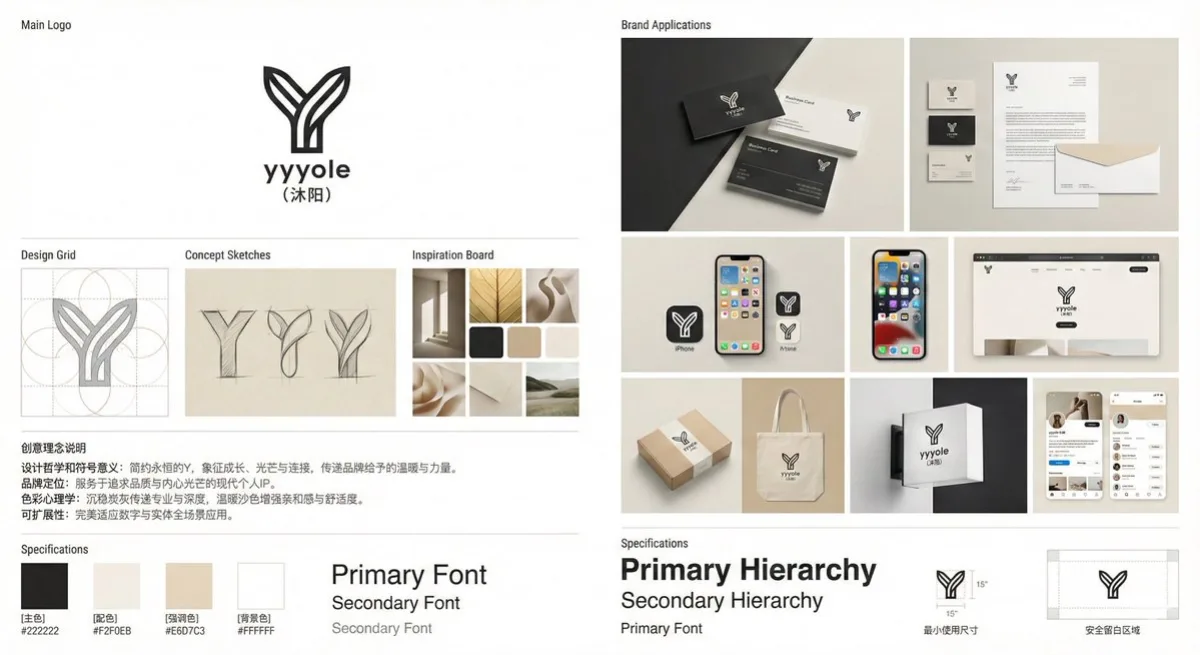
Refined Professional Brand Visual Identity System Display Board
Subject
A professional brand visual identity system display board ([yyyole], industry: personal IP) presenting a complete design system in magazine-grade layout, with brand name [Muyang].
Composition
Clean modern layout: main logo display centered in the upper third, design-grid construction lines and golden-ratio guides, a row of 3-4 hand-drawn concept sketches, a 4-6 image inspiration mood board in an elegant grid, creative-rationale text block, brand application mockups, and a color/typography spec panel; Swiss/Bauhaus grid system, ample whitespace; add a small size reference object (coin, pen) for scale.
Lighting
Perfect even lighting on flat-lay mockup photography; logo itself has no gradient or shadow (except on mockups).
Setting
Pure white or [background color] canvas with generous whitespace, editorial portfolio presentation environment.
Style
Modern editorial design aesthetic akin to Behance or Zcool portfolio showcases, flat vector style, high contrast, balanced proportions; 8K resolution, ultra-high detail, professional graphic-design portfolio quality, no 3D render, pure vector aesthetic.
Details
Main logo a simple timeless symbol with core element [Y], annotation text in soft-gray Chinese type; color scheme of [primary] for the logo, [accent] for details, [background] for canvas; abstract geometric forms, strong negative space; sketches in light pencil texture on beige paper; mood board of minimalist architecture photography, natural forms, abstract geometry, color and material swatches; spec panel with color blocks and hex values, type hierarchy, minimum-size rules and clear-space guides; brand name in a small understated sans-serif beneath or beside the symbol; render Chinese text accurately.