 portrait
3:4
portrait
3:4
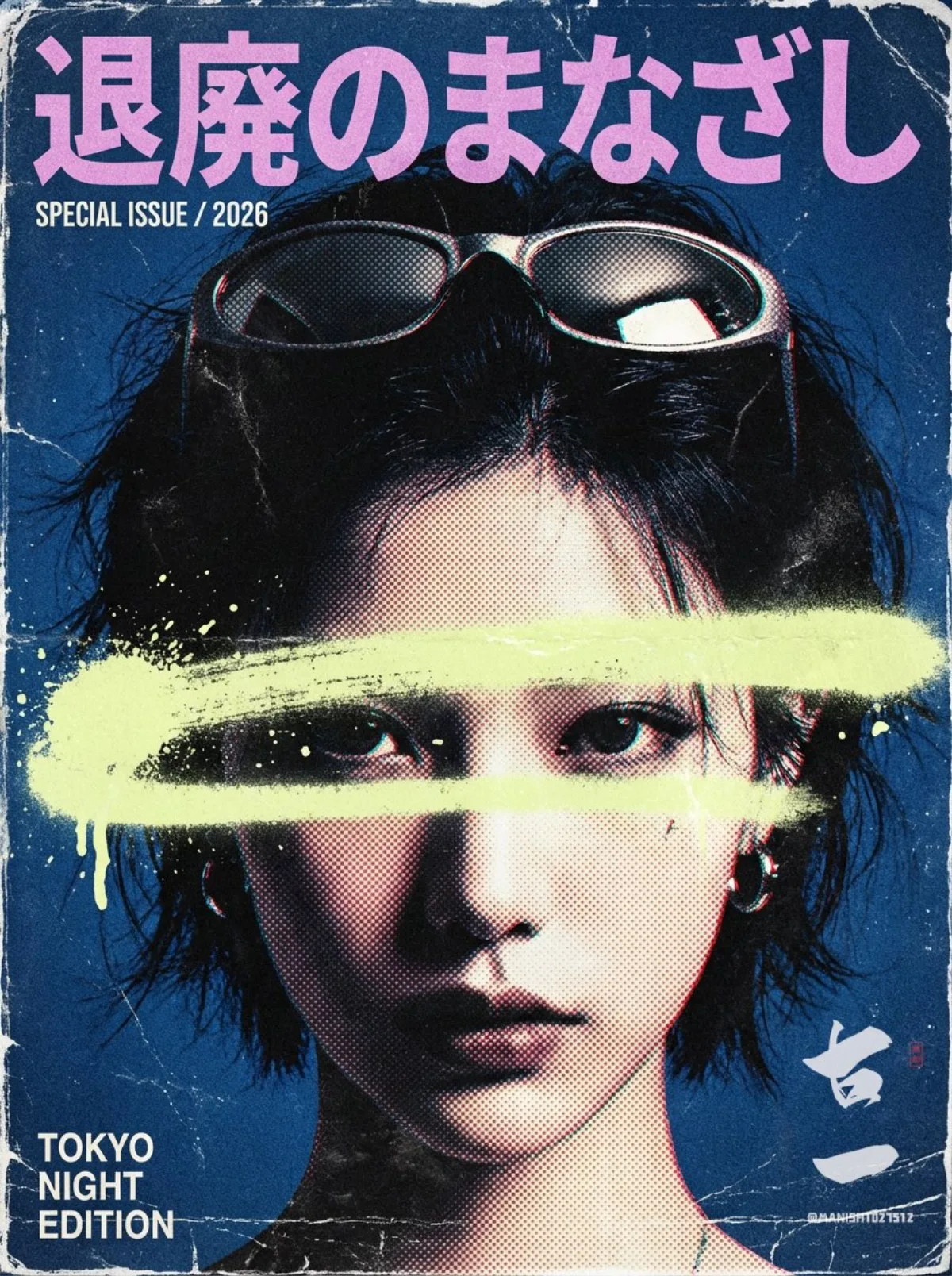
Retro Vaporwave Style: A Modern Take
Subject
A very beautiful young woman with a cold, edgy, slightly rebellious vibe in an extremely close portrait, hair-length tousled bob, sunglasses pushed up onto the head, not smiling and staring directly at the camera with an intense gaze.
Composition
Vertical cover 2:3 / 3:4; face fills 70-80% of the frame; a title strip reserved above the head and a small info strip from chin to collarbone; crop allowed at the top hair strands and sides for poster impact; Japanese main title across the top, subtitle/issue info as small text, and a minimal bottom info line.
Lighting
High-contrast hard light with clear light-dark split on the face; overall cool and darkened, real skin texture preserved; vignette to emphasize the subject.
Setting
Deep cool background (deep blue / dark blue-gray) that is clean but carries paper texture and grain.
Style
Retro vaporwave magazine cover blending street-graffiti destruction and heavy distressed print, cool rebellious indie-music-poster mood; variation: keep the composition and swap the subject for a quick themed product series.
Details
Halftone dots plus coarse noise; a thick horizontal brush/spray graffiti stroke crossing the eye region (irregular, frayed, lightly spattered) in low-saturation dirty/mustard yellow; 1-2 small metal earrings, street-cool feel; Japanese title "退廃のまなざし" in ultra-bold compressed display sans, tight kerning, partly cropped off-edge, in low-saturation dusty pink-purple; subtitle examples "SPECIAL ISSUE / 2026", "VOL.01", bottom line "TOKYO NIGHT EDITION"; heavy aging: faded paper fiber, misregistration color offset, scratches, creases, film dust, stains, sticker residue; overall grayed, old, low-saturation, no fresh glowing look.