 portrait
1:1
portrait
1:1
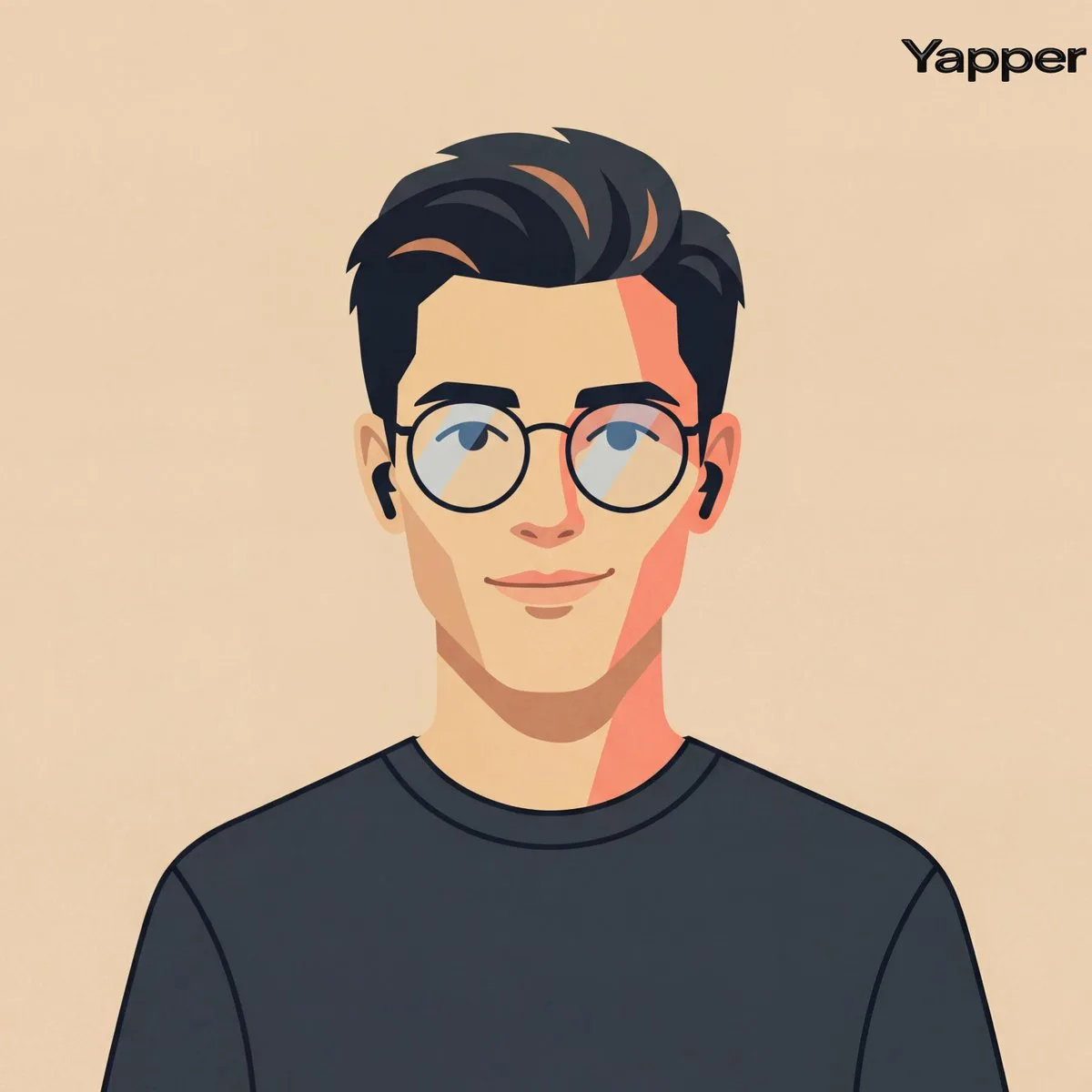
Cinematic Flat Vector Portrait with Modern Tech-Avatar Aesth
Subject
Craft A Cinematic Fashion-editorial Portrait Of A Person Using Their Photo As Identity Reference, Rendered In A Clean Flat Vector Illustration Style With Silken Geometric Shapes, Crisp Outlines, And Simplified Facial Geometry, Framing Centered Head-and-shoulders Composition With Symmetrical Alignment, Subject Facing Forward With Relaxed Posture And A Understated Friendly Smile Styling Minimal Contemporary Casual Including A Simple Dark Crew-neck Shirt And Thin Round Eyeglasses, Paired With Small Wireless Earbuds As Understated Accessories, Background A Flat Warm Beige Studio Tone (#ebdbc6) Featuring No Gradients Or Textures To Maintain A Graphic Design Aesthetic, Lighting Implied Through Ren
Composition
Cinematic Flat Vector Portrait with Modern Tech-Avatar Aesth.
Lighting
Soft diffused key light with subtle rim separation, balanced shadow falloff.
Setting
Use case: drop your own product or character into this scene with a reference image.
Style
Polished commercial render with brand-ready clarity.
Details
Premium finish — clean edges, true-to-life shadows, color-graded contrast.