 character
2:3
character
2:3
Cinematic Character Poster
Subject
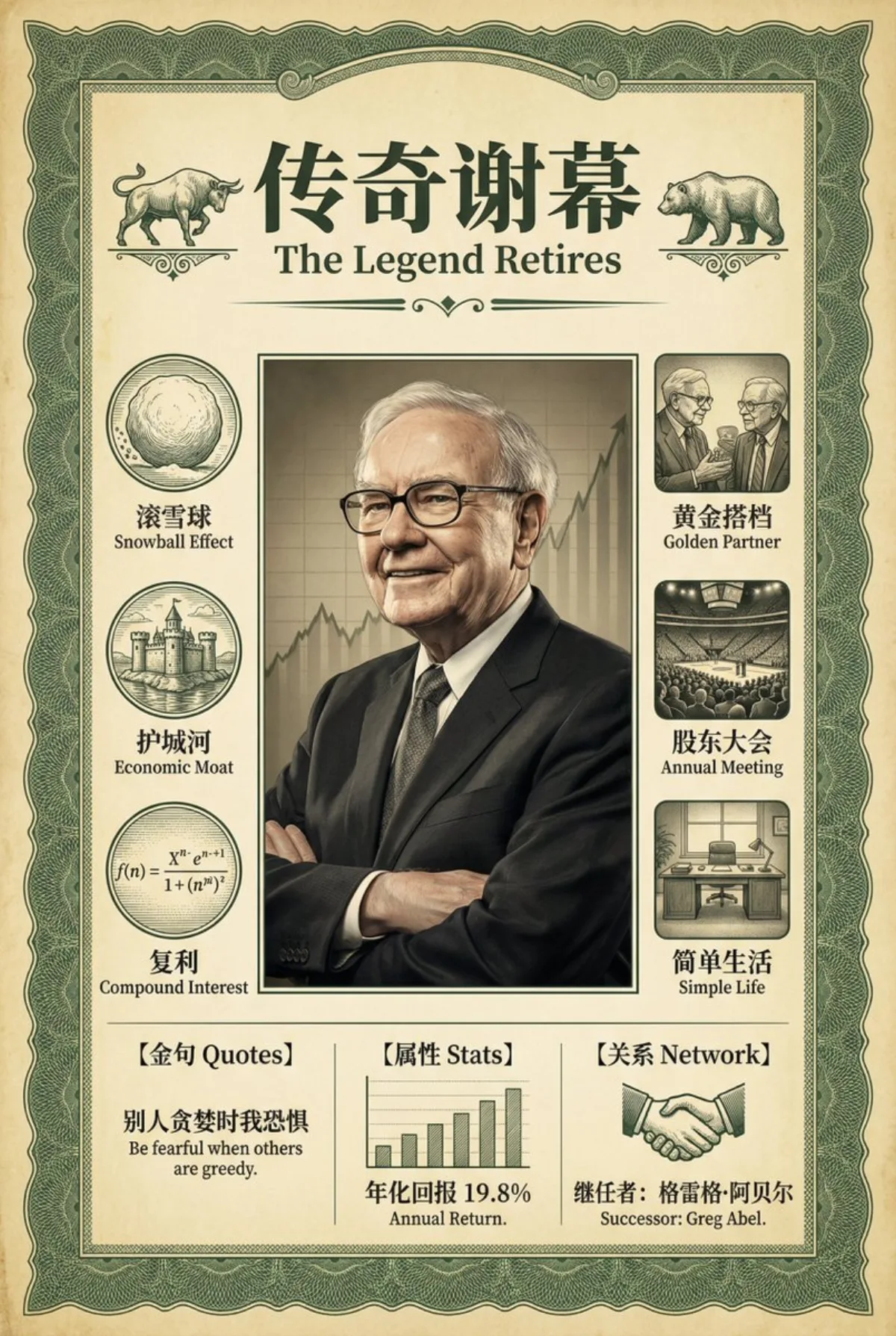
A vintage financial-style infographic poster on "Warren Buffett's retirement", centered on a bust portrait of Warren Buffett wearing his signature black-framed glasses with a wise, kindly smile in a classic dark suit.
Composition
Top header with grand bilingual artistic typography and three icons each labeled in Chinese-English (rolling giant snowball = 滚雪球 Snowball Effect, water-surrounded castle = 护城河 Economic Moat, compound-interest formula = 复利 Compound Interest); right column with three square film-grain illustrations and the serif Chinese main title "传奇谢幕" with English subtitle "The Legend Retires" flanked by retro bull and bear emblems; center: Buffett portrait; left column with three vintage etched circular icons each with a bilingual caption; bottom split into three info-data panels.
Lighting
Rembrandt lighting on the portrait; cinematic lighting overall.
Setting
A faintly yellowed antique parchment securities-certificate texture framed by a fine dark-green guilloche border, with rising K-line chart shadows behind the portrait symbolizing Berkshire Hathaway's record.
Style
Vintage financial infographic poster, masterpiece ultra-detailed, engraving style mixed with realistic photography, rich Chinese text; 8k resolution, matte finish, --ar 2:3; try swapping the scene to your target customer's home setting for relatability.
Details
Left-column captions: two elders talking (黄金搭档 Golden Partner), crowded stadium meeting (股东大会 Annual Meeting), a simple desk (简单生活 Simple Life); bottom panels: Quotes "别人贪婪时我恐惧 Be fearful when others are greedy", Stats "年化回报 19.8% Annual Return", Network handshake icon with "继任者:格雷格·阿贝尔 Successor: Greg Abel"; Chinese text rendering priority 1.4, clear legible font; each icon must have a right-side bilingual label in the format "Chinese noun English Noun".