 infographic
1:1
infographic
1:1
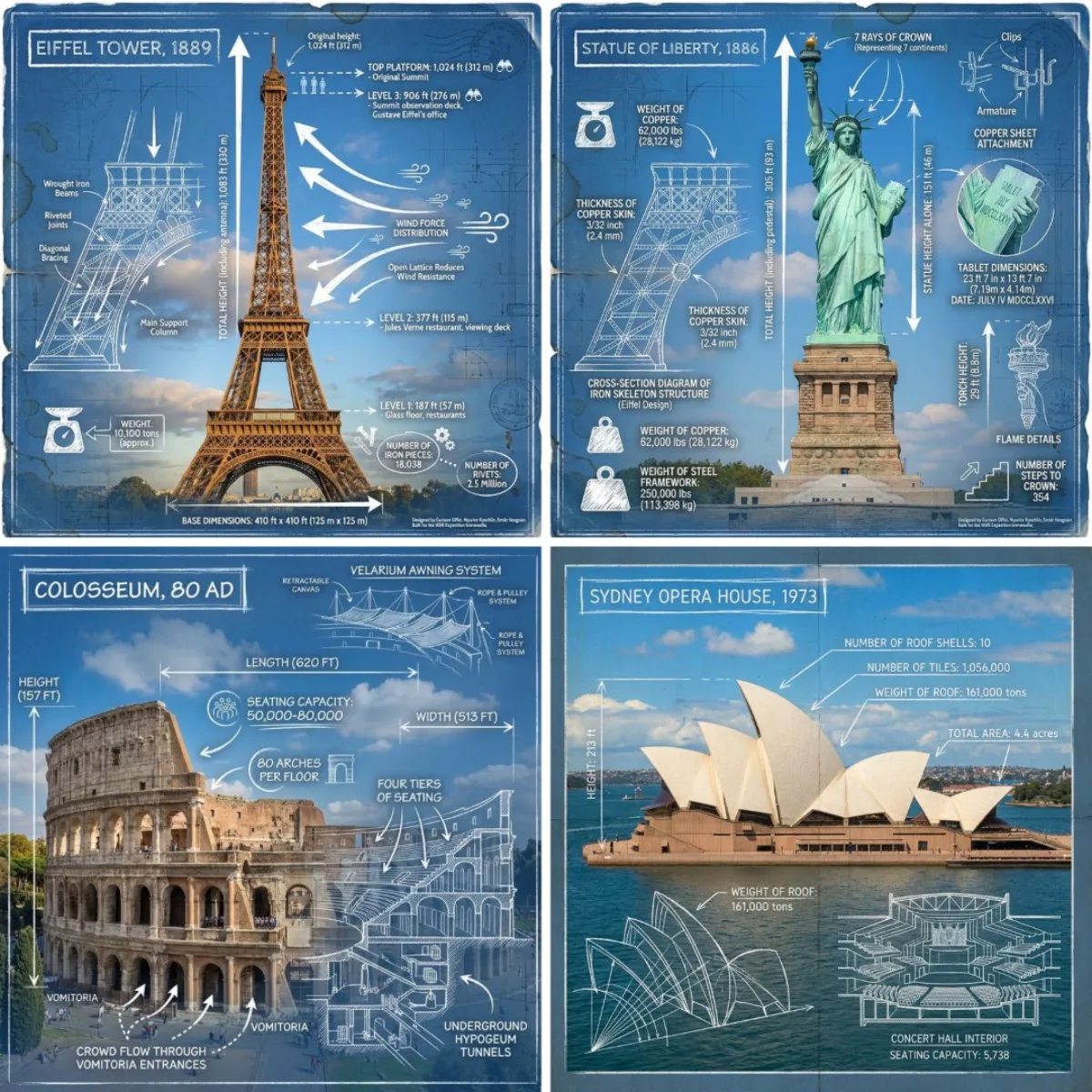
Landmark Infographic
Subject
Render brief: create an infographic image of [LANDMARK], combining a real photograph of the landmark featuring blueprint-style technical annotations and diagrams overlaid on the image. Include the title “[LANDMARK]” in a hand-drawn box in the corner. Add white chalk-style sketches showing key structural data, important measurements, material quantities, internal diagrams, load-flow arrows, cross-sections, floor plans, and notable architectural or engineering features. Style: blueprint aesthetic with white line drawings on the photograph, technical/architectural annotation style, educational infographic feel, with the real environment visible behind the annotations. Refine: name the rendering
Composition
Centered subject framing with shallow depth of field that draws the eye inward.
Lighting
Even high-key studio lighting for clean product clarity.
Setting
Style: blueprint aesthetic with white line drawings on the photograph, technical/architectural annotation style, educational infographic feel, with the real environment visible behind the annotations.
Style
Blueprint aesthetic with white line drawings on the photograph, technical/architectural annotation style, educational infographic feel, with the real environment visible behind the annotations.
Details
Carefully tuned color palette and lighting to keep brand mood consistent.