 fashion
9:16
fashion
9:16
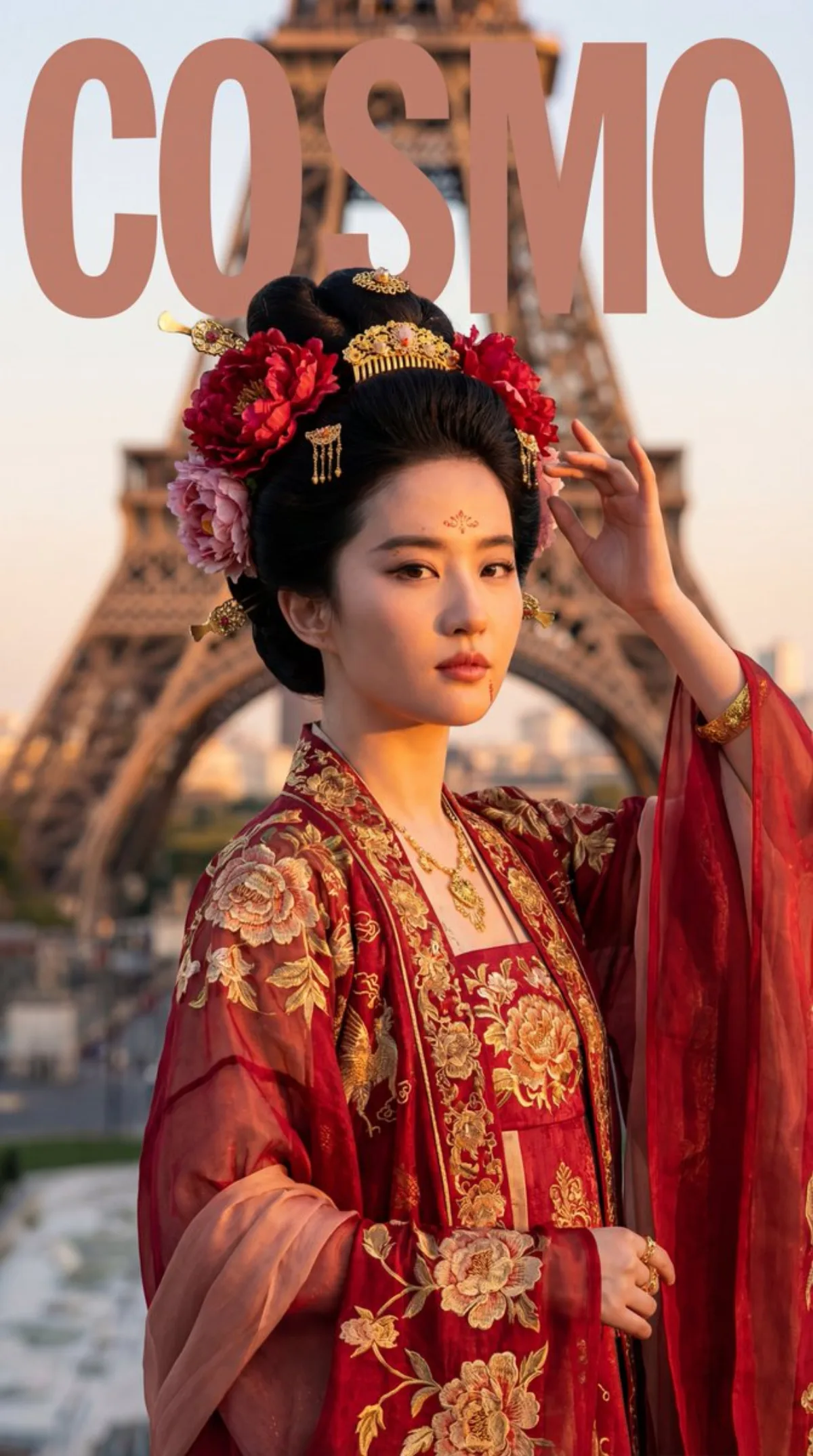
Tang Dynasty Noblewoman Meets Eiffel Tower: A Curated Take
Subject
An adult woman whose facial features and bone structure 100% match the uploaded FACE_REF (identity locked), dressed as a high Tang-dynasty imperial consort in heavily worked ceremonial robes: chest-high ru skirt, wide-sleeved over-gown, peony motifs, gold ornaments, high coiled bun with large peony flowers, gold comb, buyao hair pins; confident, expansive, queen-like pose.
Composition
9:16 vertical magazine-cover composition, COSMO-level styling, with negative space for layout; model randomly chooses A) half-body cover (chest to above waist, sharpest focus on eyes and upper-body embroidery) or B) full-body cover (head to toe showing layered robes and skirt motifs with stronger tower steel perspective); no torn-paper or hand-drawn effects.
Lighting
85mm portrait feel for half-body or 50mm/70mm for full-body, shallow depth of field, eyes sharpest; natural ambient light plus cinematic fill; gold ornaments have real highlights without blowing out; silk sheen clearly visible.
Setting
Beneath the Eiffel Tower in Paris (Trocadero plaza or Seine riverbank) with classic steel-structure tower backdrop; weather randomly Parisian rain (damp ground, soft high-end gray tones) or brilliant dusk (golden sunset glow); clean background with no tourists, modern signage, UI, watermarks or railings.
Style
High-end cinematic magazine cover (English design) with French gray/blue-gray tones in strong visual tension against the Tang red-green-gold palette; clean, translucent, rich texture.
Details
Realistic skin with fine pores, no over-smoothing; heavy craftsmanship visible: silk, brocade, gold-printed gauze, gold-thread embroidery, woven gold; treasure-flower, interlocking-peony and auspicious-beast motifs; floral forehead decoration (huadian), cheek dots (mianye), arm jewelry; randomly choose one main color scheme: G emerald/azurite base, A peony-red base, or R purple/grape base, with strong contrast unified in a high-end tone.