 portrait
4:5
portrait
4:5
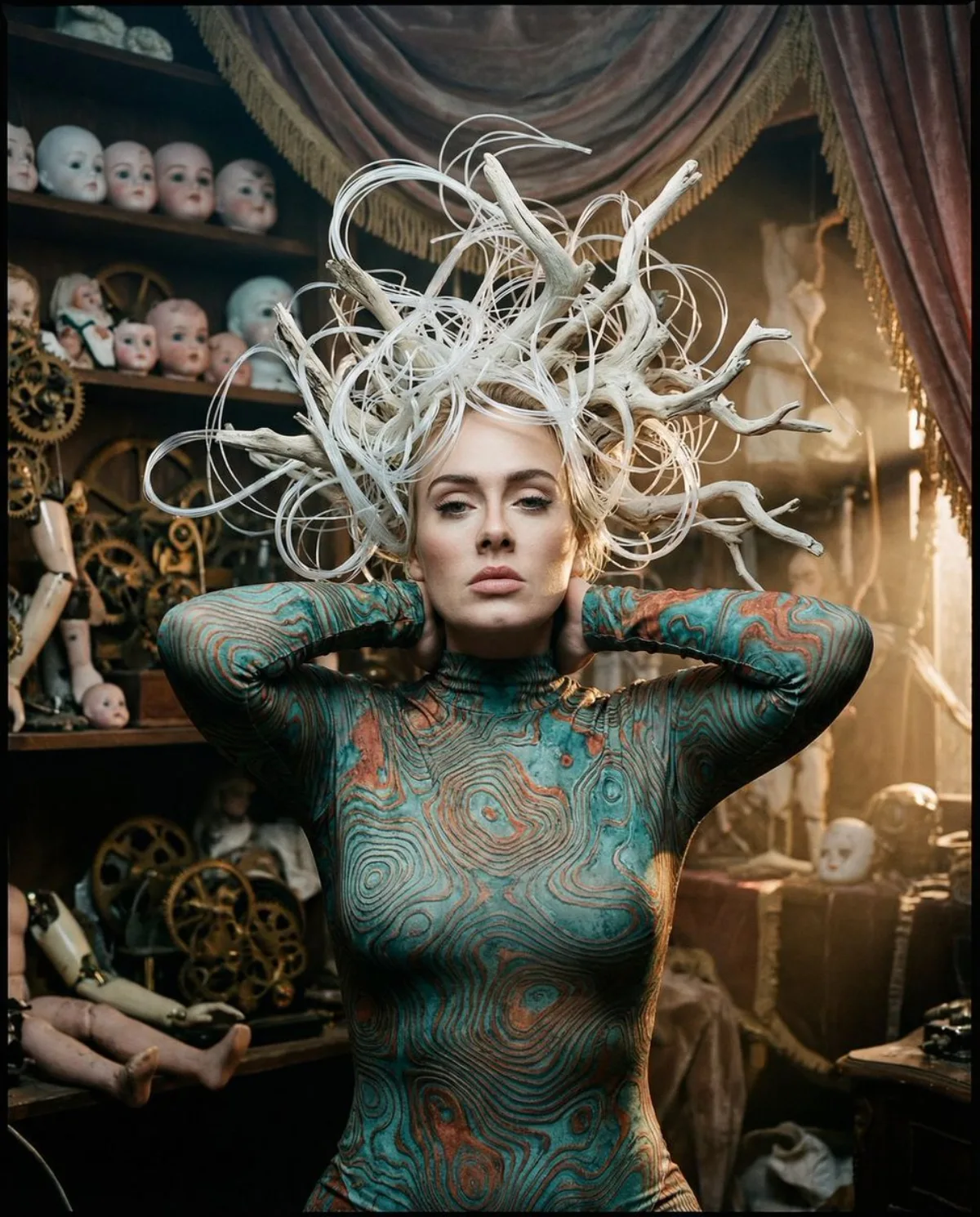
A Studio-Grade The Automaton's Reverie: Hyper-realistic Portrait
Subject
{
"vibe_title_en": "The Automaton's Reverie",
"master_prompt": "A ultra-realistic, medium-format portrait of The Protagonist captured in a moment of deep, trance-like introspection. The lighting is high-impact and movie-quality: a tender, neutral-cool key light focuses on the subject's face, revealing hyper-lifelike skin pores and moisture on the lips, while warm, dusty shafts of light illuminate the floating dust motes and background debris. The subject features a surreal, avant-garde hairstyle constructed from tangled white fiber-optic wires and bleached driftwood roots that defy gravity, swirling around the head like a chaotic halo. Shot on a Hasselblad H6D-100c with an 80mm f/1.9 len
Composition
Central Portrait featuring layered depth.
Lighting
The lighting is high-impact and movie-quality: a tender, neutral-cool key light focuses on the subject's face, revealing hyper-lifelike skin pores and moisture on the lips, while warm, dusty shafts…
Setting
Antique Automaton Workshop.
Style
Master_prompt": "A ultra-realistic, medium-format portrait of The Protagonist captured in a moment of deep, trance-like introspection.
Details
Shot on a Hasselblad H6D-100c with an 80mm f/1.9 lens to craft a creamy bokeh that blurs the intense clutter while keeping the surreal subject in razor-sharp focus.