 portrait
3:4
portrait
3:4
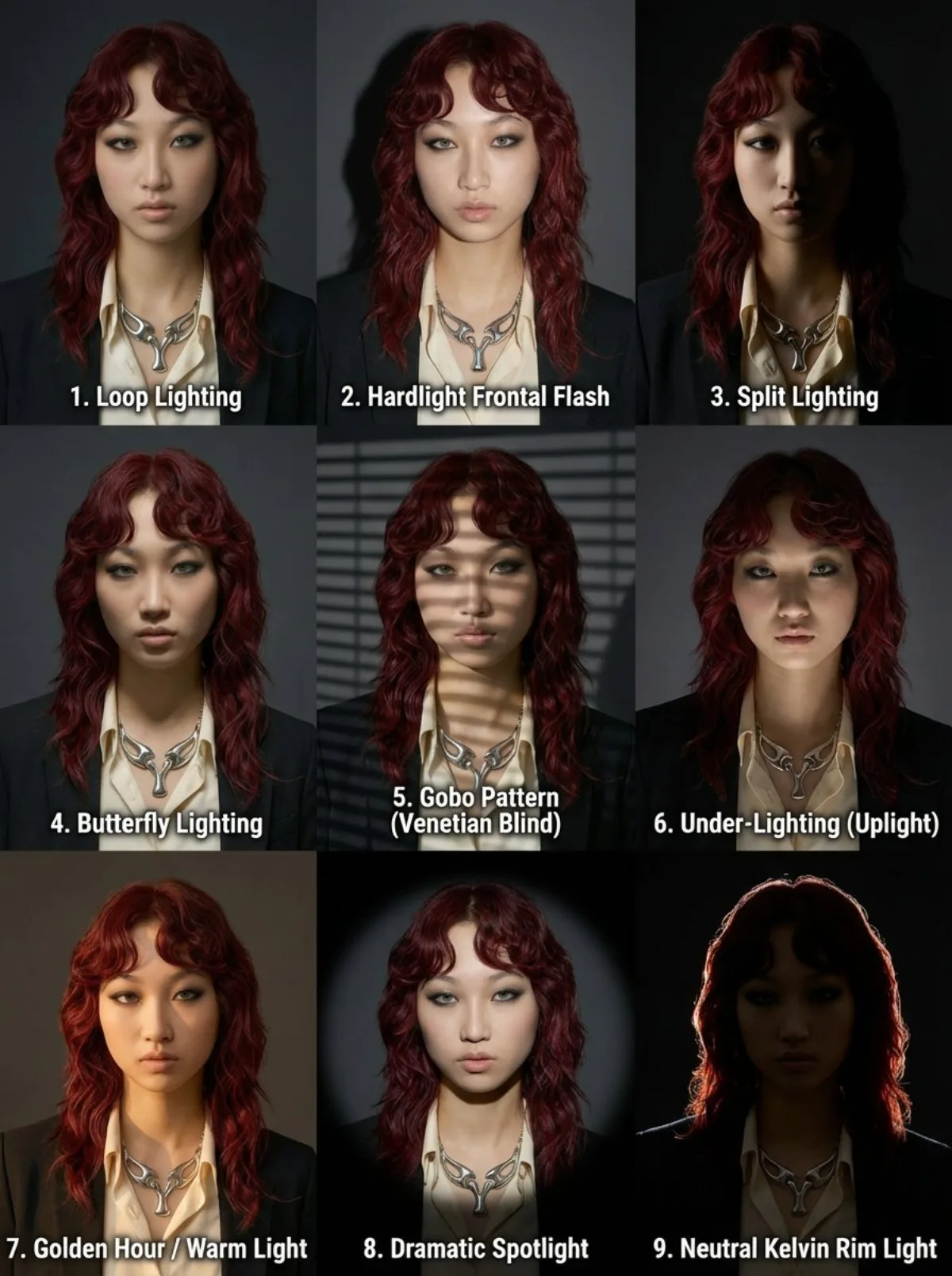
9-Panel Portrait Grid with Varied Lighting (Editorial)
Subject
Scene: a 3x3 photo grid presented as a single image on a dark grey background. The grid layout and lighting setups are:
- Top row, left to right:
Loop Lighting (Flattering 3/4 light with a small loop of shadow from the nose onto the cheek)
Hardlight Frontal Flash (direct front facing, harsh flashlight with deep frontal shadows)
Split Lighting (dramatic light on only one side of the face, leaving the other side completely dark)
- Middle row, left to right:
Butterfly Lighting (classic symmetrical light from the front, slightly high, with a small shadow under the nose)
Gobo Pattern (Venetian Blind)' (light projected through Venetian blinds, creating linear shadows across the face and c
Composition
A 3x3 photo grid presented as a single image on a dark grey background. The grid layout and lighting setups are.
Lighting
The grid layout and lighting setups are.
Setting
Scene: a 3x3 photo grid presented as a single image on a dark grey background.
Style
9-Panel Portrait Grid with Varied Lighting (Editorial.
Details
Premium finish — clean edges, true-to-life shadows, color-graded contrast.