 portrait
3:4
portrait
3:4
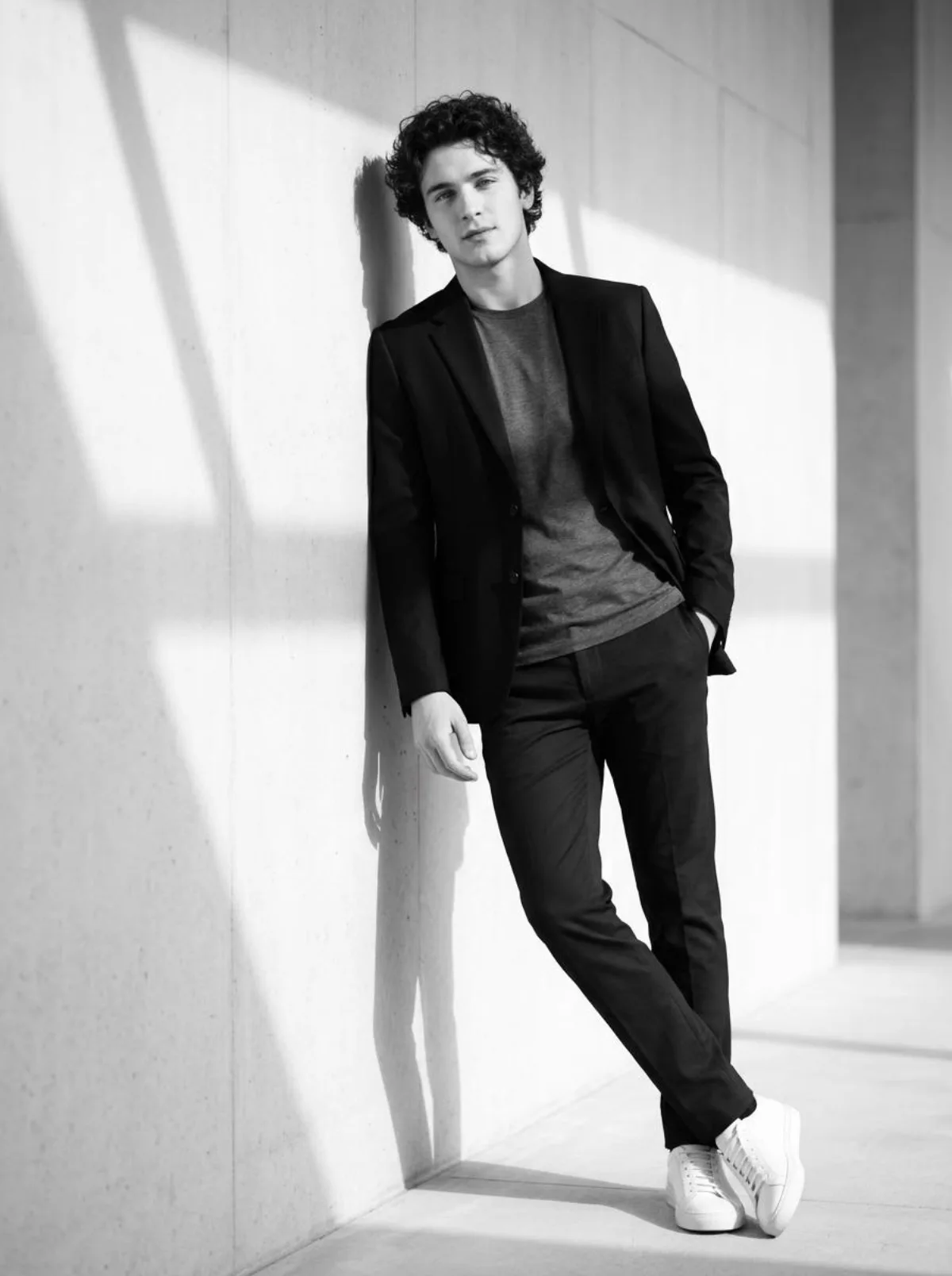
A Premium Cinematic Black and White Portrait with Dramatic Shadows
Subject
Produce a true-to-life black and white film-style photo of a person using the face from the uploaded image. The person is leaning casually against a clean wall featuring a confident and relaxed posture. The person is wearing a stylish up-to-date outfit such as a fitted jacket, plain t-shirt, tailored pants, and sneakers. Strong side lighting creates sharp, high-impact shadow lines across the wall and partially across the person’s face and body, forming powerful structured patterns. The camera is at eye level or slightly low for a powerful composition. The background is minimal and clean, keeping full focus on the subject. High contrast black and white tones, deep shadows, crisp highlights, u
Composition
The camera is at eye level or slightly low for a powerful composition.
Lighting
Strong side lighting creates sharp, high-impact shadow lines across the wall and partially across the person’s face and body, forming powerful structured patterns.
Setting
The background is minimal and clean, keeping full focus on the subject.
Style
Mood-driven art-direction blending photographic realism and graphic flair.
Details
Premium finish — clean edges, true-to-life shadows, color-graded contrast.