 character
3:2
character
3:2
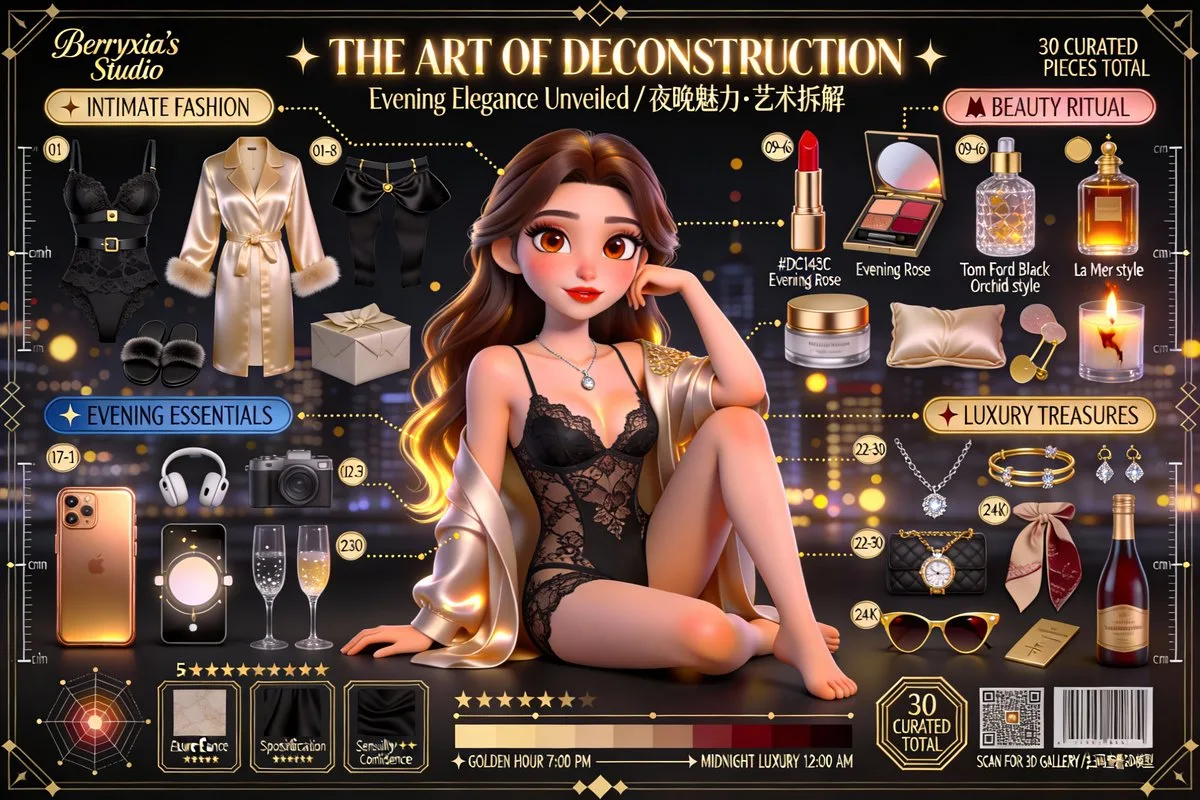
Editorial Character Deconstruction Art: Pixar Style 3D Poster
Subject
An ultra-high-quality cinematic 3D Pixar/Disney-style stylized-realism character-deconstruction art poster: convert the person in the reference photo into a stylized-realistic 3D animated character, with their personal items laid out in a rigorous Knolling (neatly arranged) style.
Composition
16:9 landscape (adjustable to 3:2, 4:5, 1:1); Knolling radial composition with 30-36 items arranged around the character at 90-degree right angles or radially. Exploded-view technique: dashed/solid connector lines from floating garment parts to the character, decorative leader arrows to text labels, macro material-swatch squares, measurement rulers with cm/in marks. Art Deco hexagon/circular thin frames (0.5-1pt) grouping items, rulers along left/right edges, crosshairs at the four corners and key focal points, info cards with elegant borders, an attribute radar chart, gold/silver dashed lines and decorative arrows.
Lighting
Photoreal soft shadows cast by each item; cinematic atmosphere with background ambiance.
Setting
Background and atmosphere context (truncated in source); items float against the poster field.
Style
Pixar stylized realism benchmarked to official Coco / Turning Red / Luca character posters; PBR materials, same render quality for items and character.
Details
Item count 30-36 around the character. Category 1 Fashion Atelier (champagne-gold labels): main clothing deconstructed (sleeves, collar, fabric panels, lining floating separately), footwear (sole, upper, laces, heel), accessories (belt, bag, hat, scarf); e.g. a trench coat splits into lapel, epaulettes, belt, cuff straps, main body. Category 2 Beauty Collection (rose-gold labels): makeup (lipstick with bullet cross-section and shade label, eyeshadow palette with clear cells, compact, perfume with visible liquid refraction), skincare (serum, cream jar, beauty device). Category 3 Modern Essentials (steel-blue labels): electronics (cased smartphone with on-screen content, wireless earphones, smartwatch, laptop/tablet, camera) with correct roughness and reflections. Category 4 Luxury & Hobbies (24K-gold labels): jewelry (necklace, earrings, rings with gem dispersion), branded bags (showing inner compartments and hardware), hobby items (brushes, palette, books, instruments, sportswear, coffee gear). Each item: 01-36 circular number badge, PBR material, realistic soft shadows. Material tags '100% silk', 'Italian calf leather'. Title 'THE ART OF DECONSTRUCTION' in elegant Chinese serif (FZ Song-engraved Xiukai) and Playfair Display with gold foil; subtitle 'Character Essence Unveiled'; category headers as rounded-rectangle labels with icons.