 portrait
1:1
portrait
1:1
Serene Man in Wildflower Meadow Portrait: A Refined Take
Subject
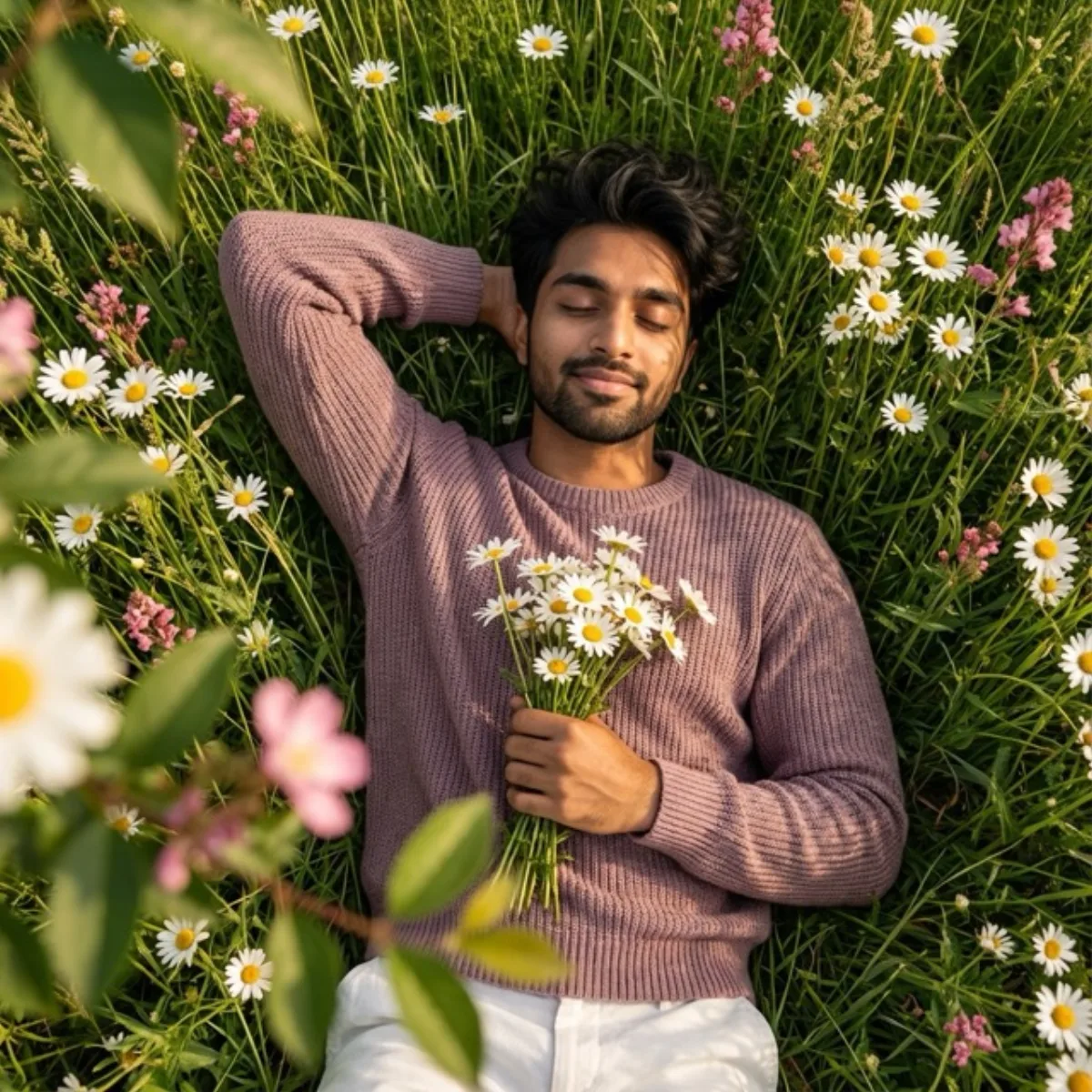
Produce a serene, top-down portrait of a young man lying peacefully in a lush meadow filled with wildflowers. One arm is bent behind his head in a relaxed pose, while the other gently holds a small bouquet of freshly picked daisies against his chest. He wears a textured mauve or dusty-rose knit sweater paired featuring clean white trousers, creating a gentle contrast against the vibrant greens and florals. He rests on his back among tall green grass, white daisies, and scattered pink blossoms, completely immersed in nature. Highlights gently kiss the skin and flowers, while shadows remain mild and organic. His eyes are closed with a faint, content smile, conveying calmness, tenderness, and q
Composition
Produce a serene, top-down portrait of a young man lying peacefully in a lush meadow filled with wildflowers.
Lighting
The scene is bathed in warm, authentic daylight, soft afternoon, sunlight filtering through leaves and petals.
Setting
Layered foreground and background elements creating spatial depth.
Style
Mood-driven art-direction blending photographic realism and graphic flair.
Details
His expression feels intimate and emotionally amber-toned, as if caught in a private moment of rest and reflection.