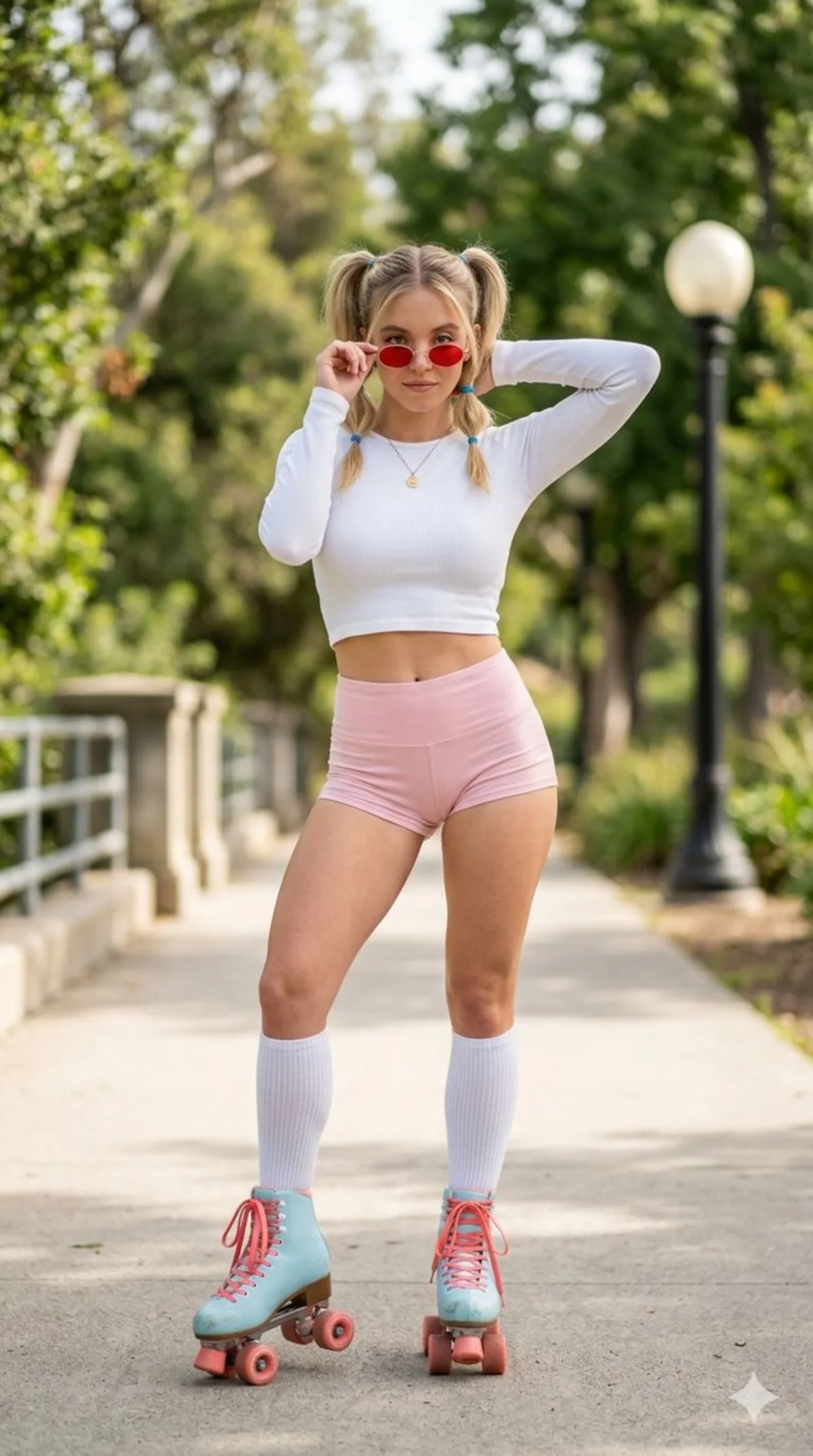
米莉·芭比·布朗复古旱冰鞋肖像 人像 9:16

米莉·芭比·布朗复古旱冰鞋肖像

高级 portraitcreative
完整提示词
视觉设定:{
"type": "image_prompt",
"meta": {
"style": "professional lifestyle portrait",
"realism": "photorealistic",
"camera": "iPhone 15 Pro Max",
"angle": "eye level",
"aspect_ratio": "9:16",
"resolution": "8k",
"focus": "sharp focus on subject",
"depth_of_field": "shallow",
"bokeh": "creamy"
},
"subject": {
"name": "Millie Bobby Brown",
"framing": "full body",
"appearance": {
"body_type": "slender, fit, athletic",
"proportions": "balanced hips and thighs"
},
"hair": {
"style": "middle parted",
"details": "two high pigtails",
"accessory": "small blue elastic bands"
},
"expression": "playful and confident",
"pose": {
"stance": "standing, facing camera",
"legs": "slightly apart, left skate slightly forward and tilted",
"left_arm": "raised with elbow outward, hand behind neck",
"right_hand": "holding sunglasses frame while looking over them"
},
"eyes": {
"interaction": "looking over sunglasses"
}
},
"clothing": {
"top": "plain blue long-sleeve cropped top above navel",
"bottom": "light yellow short tight shorts",
"socks": "blue ribbed knee-high socks",
"shoes": {
"type": "retro-vintage quad skates",
"color": "light blue",
"details": "laces, coral pink toe stops, vibrant coral pink wheels"
}
},
"accessories": {
"sunglasses": {
"shape": "small round",
"lenses": "reddish",
"frame": "thin metal"
},
"jewelry": {
"necklace": "thin delicate chain",
"pendant": "small round gold"
}
},
"environment": {
"location": "outdoor park pathway",
"ground": "paved",
"time": "daytime",
"background": {
"elements": [
"lush green trees",
"low wall with metal railings",
"classic globe-topped streetlight"
],
"blur": "softly blurred"
}
},
"lighting": {
"type": "natural daylight",
"quality": "soft and even",
"effect": "gentle highlights on skin and fabric"
},
"mood": {
"style": "retro-vintage, sporty",
"feeling": "vibrant, confident, relaxed summer atmosphere"
},
"color_palette": [
"white",
"light pink",
"light blue",
"coral pink",
"lush green"
],
"texture": {
"detail_level": "highly detailed",
"focus_areas": ["clothing", "skin", "skates"]
}
}。工作流:生成多张候选后再做 best-of-N 筛选,可避免一次性出图的不稳定。
← 返回画廊

如何使用这条提示词

从复制粘贴到出图,只需 4 步。

1
复制提示词
点击上方「📋 复制完整提示词」按钮——剪贴板就有完整提示词了,「提示:」温馨贴士已自动剥离。
2
替换占位符
留意 [主体]、[品牌色]、{风格} 这样的占位符,换成你的具体内容效果更好。
3
选择宽高比
本提示词原始测试比例为 9:16。方图(1:1)适合社交分享,9:16 适合短视频/竖屏,16:9 适合 banner/封面。
4
粘贴到你的图像模型
可粘贴到 Nano Banana 2、GPT Image 2、Midjourney、Flux 2 或 DALL-E。每个模型理解会略有不同,多试 2-3 个挑最佳。

兼容的 AI 模型

本提示词在以下模型中均测试可用。点击任意徽章查看模型详情。

变体灵感

几个让这条提示词适配你的品牌/故事的小调整:

用同一构图测试三个宽高比(1:1、4:5、16:9),挑最适合你内容的画幅。
保持构图和光线不变,把主体换成你的产品、角色或品牌形象。
调整光线(黄金时刻 ↔ 工作室柔光箱 ↔ 蓝调时刻 ↔ 霓虹夜景)就能大幅改变情绪。
末尾加一个风格修饰词——例如 'shot on 85mm'、'film grain'、'编辑风 Vogue'、'电影感变形宽屏'.

常见问题

这条提示词在哪个 AI 模型上表现最佳?
四大主流模型(Nano Banana 2、GPT Image 2、Midjourney v7、Flux 2)都能很好地渲染本提示词。Nano Banana 2 在角色一致性和文字渲染方面最强;GPT Image 2 擅长多元素场景和文字排版;Midjourney 美学风格最有绘画感;Flux 2 是最强的开源选项。
这条提示词可以商用吗?
可以——AI Image Free 上所有提示词均可免费商用。卡片中的参考图是 AI 生成的视觉示例,你用这条提示词实际生成的图片归你所有(受你使用的具体 AI 模型服务条款约束)。
我怎么把这条提示词改造成我自己品牌的风格?
留意提示词中的占位符(如 [主体]、[颜色]、[品牌]),替换成你的具体内容。你也可以在提示词末尾追加自己的风格修饰词(例如「使用品牌色 #FF6B35 和 #2D3142」),打造品牌专属版本。