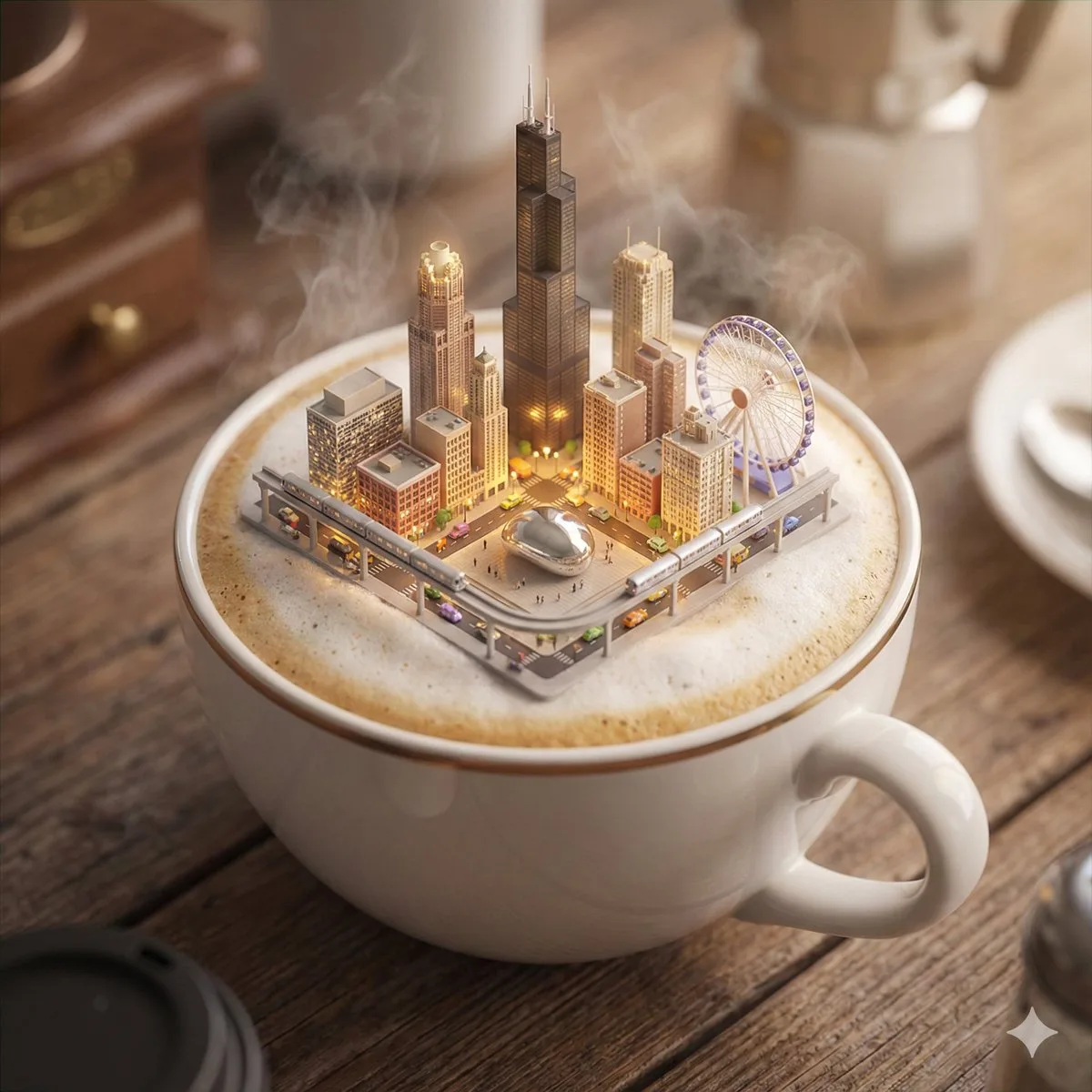
咖啡杯中的芝加哥微缩奇境:精选诠释 3D 渲染 1:1

咖啡杯中的芝加哥微缩奇境:精选诠释

高级 3dcinematicminiature
完整提示词
镜头设定:☕️✨ A dreamy, cinematic 3D miniature city floats atop cappuccino foam—explore iconic landmarks in stunning 8K detail! Share your own creations!

---- Prompt ----

Present a clear, 45° top-down view of an isometric miniature 3D cartoon scene, highlighting iconic landmarks centered in the composition to showcase precise and delicate modeling.

A close-up of a porcelain coffee cup filled with cappuccino foam, subtly floating a detailed city of {city, default to user's current location} occupying most of the composition. Prominently displayed at the scene's center are the city's most iconic landmarks, vividly detailed and illuminated softly.

Miniature streets feature realistic, tiny vehicles moving seamlessly. With cinematic-quality lighting and depth-of-field blurring, the image creates a magical, dreamlike atmosphere. Exceptionally detailed and highly photorealistic, the scene achieves an 8K cinematic finish.

Aspect ratio: 1:1.

---

city: Chicago。进阶玩法:把方向光改成侧逆光,画面氛围会立刻变得更有故事感。
← 返回画廊

如何使用这条提示词

从复制粘贴到出图,只需 4 步。

1
复制提示词
点击上方「📋 复制完整提示词」按钮——剪贴板就有完整提示词了,「提示:」温馨贴士已自动剥离。
2
替换占位符
留意 [主体]、[品牌色]、{风格} 这样的占位符,换成你的具体内容效果更好。
3
选择宽高比
本提示词原始测试比例为 1:1。方图(1:1)适合社交分享,9:16 适合短视频/竖屏,16:9 适合 banner/封面。
4
粘贴到你的图像模型
可粘贴到 Nano Banana 2、GPT Image 2、Midjourney、Flux 2 或 DALL-E。每个模型理解会略有不同,多试 2-3 个挑最佳。

兼容的 AI 模型

本提示词在以下模型中均测试可用。点击任意徽章查看模型详情。

变体灵感

几个让这条提示词适配你的品牌/故事的小调整:

用同一构图测试三个宽高比(1:1、4:5、16:9),挑最适合你内容的画幅。
保持构图和光线不变,把主体换成你的产品、角色或品牌形象。
调整光线(黄金时刻 ↔ 工作室柔光箱 ↔ 蓝调时刻 ↔ 霓虹夜景)就能大幅改变情绪。
末尾加一个风格修饰词——例如 'shot on 85mm'、'film grain'、'编辑风 Vogue'、'电影感变形宽屏'.

常见问题

这条提示词在哪个 AI 模型上表现最佳?
四大主流模型(Nano Banana 2、GPT Image 2、Midjourney v7、Flux 2)都能很好地渲染本提示词。Nano Banana 2 在角色一致性和文字渲染方面最强;GPT Image 2 擅长多元素场景和文字排版;Midjourney 美学风格最有绘画感;Flux 2 是最强的开源选项。
这条提示词可以商用吗?
可以——AI Image Free 上所有提示词均可免费商用。卡片中的参考图是 AI 生成的视觉示例,你用这条提示词实际生成的图片归你所有(受你使用的具体 AI 模型服务条款约束)。
我怎么把这条提示词改造成我自己品牌的风格?
留意提示词中的占位符(如 [主体]、[颜色]、[品牌]),替换成你的具体内容。你也可以在提示词末尾追加自己的风格修饰词(例如「使用品牌色 #FF6B35 和 #2D3142」),打造品牌专属版本。